Overview
You can access and export your KPIs data by using the BulkData KPIs API endpoint. To have the ability to export this data,
ensure your Role has the permission to Export KPI data to be able to use the API. You can navigate to Administration > Roles > select your role > under Permissions, select Export KPIs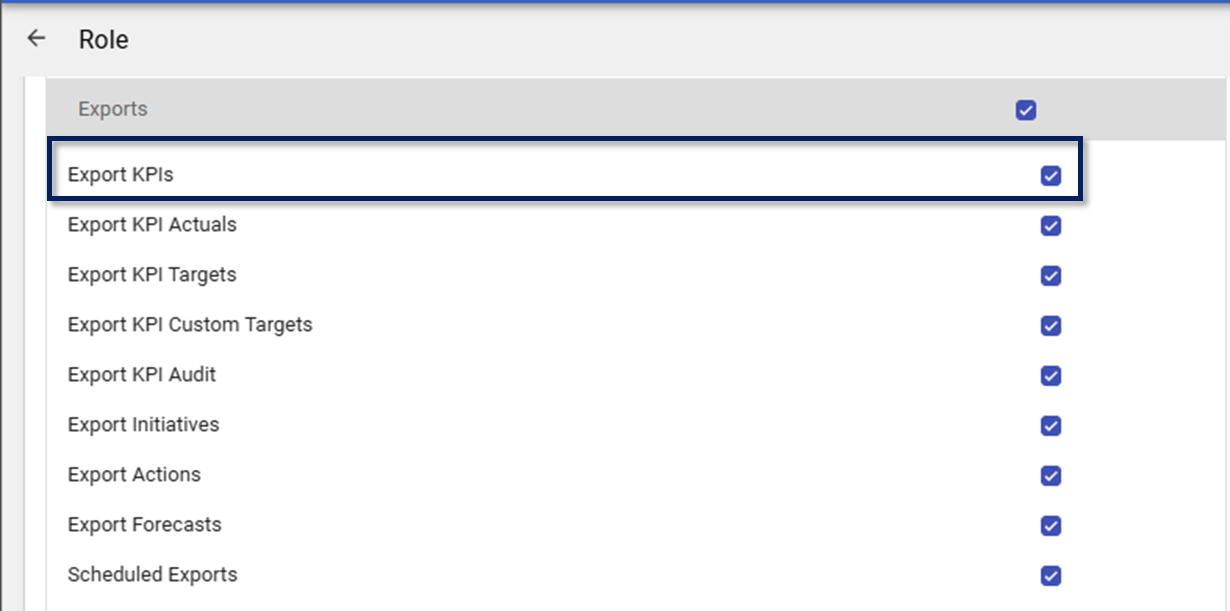
BulkData KPIs API Endpoint
You can obtain your BulkData KPIs API Endpoint by using Swagger (for more information on how to access Swagger, kindly see the following article: How to find the available API Endpoints). Once you have entered the URL, select the BulkData KPIs endpoint under BulkData to view the available parameters.
Your BulkData KPIs API endpoint should be configured as follows:

- Your WiredUp name
- The API definition
- Your API key
Note: The BulkData KPI is only available on version 2 and 3 of the endpoint
BulkIData KPIs Available API Parameters
These are the current available parameters for the BulkData KPIs API endpoint:
- KpiId
- KpiIds
- FromDate
- ToDate
- SiteId
- IncludeKpis
- IncludeActuals
- IncludeForecast
- IncludeTargets
- IncludeTrends
- IncludeCustomTargets
- IncludeRecordURL
- IncludeComments
IncludeCustomTargets and WiredUp URL on BulkData Kpis
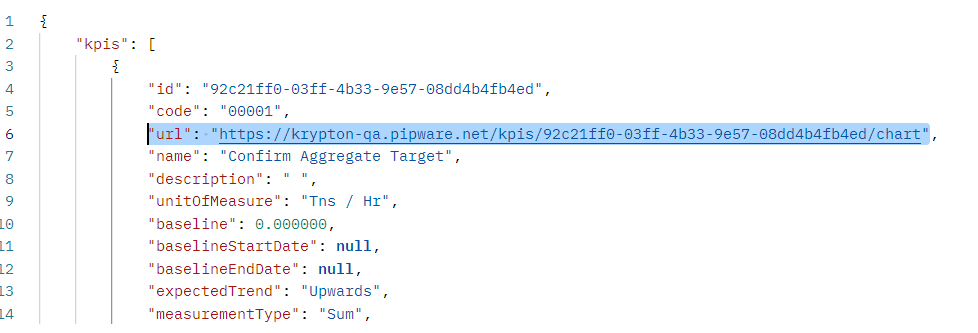
The BulkData KPIs API now include a parameter to return Custom Targets as well as a WiredUp URL to the KPI's chart. The Custom Targets and the KPI WiredUp URL are returned on the API when the IncludeCustomTargets parameter is set to true as well as when the IncludeRecordURL is set to true. Once these parameters are set, the data is returned as follows:
IncludeCustomTargets: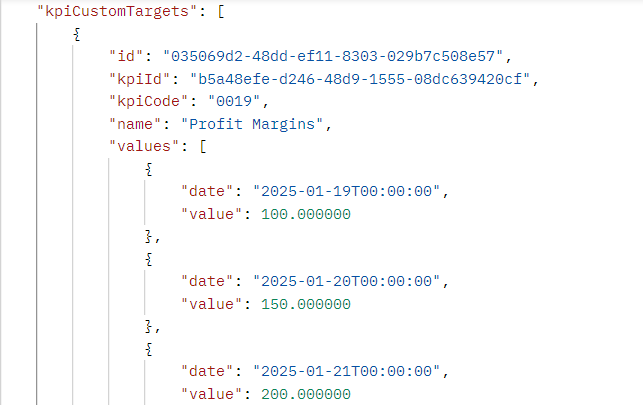
KPI chart WiredUp URL:
IncludeComments on BulkData KPIs
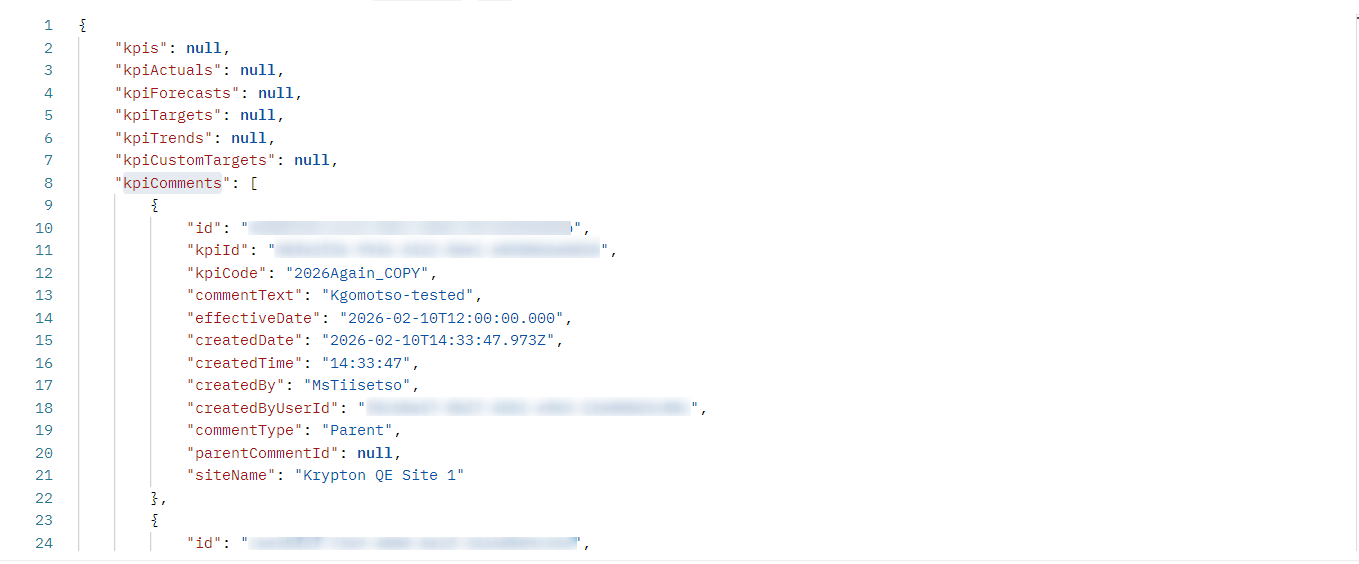
The BulkData KPI endpoint now includes the IncludeComments parameter that returns KPI comments filtered by the effective date when the parameter is set to true. When IncludeComments=true, the API response includes a new top-level collection called kpiComments. Comments without an effective date are not returned in the API.