
In This Article
Overview
This article explains how to authenticate API requests when your WiredUp environment has multiple sites. When multiple sites exist, you must specify which site's data you want to access by including the site name in your API request. WiredUp provides two methods to accomplish this: using a request header or a URL parameter.
Why This Is Required
When your WiredUp account has access to more than one site, the API needs to know which site's data to retrieve. Without specifying the site name, the API request will not know which site to query, and your request may fail or return unexpected results.
Authentication Methods
You can include the site name using either of the following two methods:
Option 1: Site Name as a Request Header (Recommended)
Add a header to your API request that specifies the site name:
Header Format:
<X-PIPWARE-SiteName>: <your-site-name>
When to Use:
- When using API tools like Postman or custom code
- When working with Power BI or Excel Power Query (Advanced mode)
- When you want to keep your URL clean and parameters separate
For detailed examples of how to implement headers in various tools and platforms, see: "How to Update Your API Authentication to Request Headers": How to Update Your API Authentication to Request Headers : WiredUp
Option 2: Site Name as a URL Parameter
Append the site name to your API request URL as a query parameter.
URL Format:
https://<your-instance>.wiredup.global/api/<endpoint>?param1=value1&<X-PIPWARE-SiteName>=<your-site-name>
When to Use:
- When your API client doesn't easily support custom headers
- When you prefer to include all parameters in the URL
- For quick testing or simple integrations
How to Find Your Site Name
To determine the correct site name to use:
1. Log into your WiredUp platform
2. From your profile avatar, click on the Site Access dropdown to view the sites that you have access to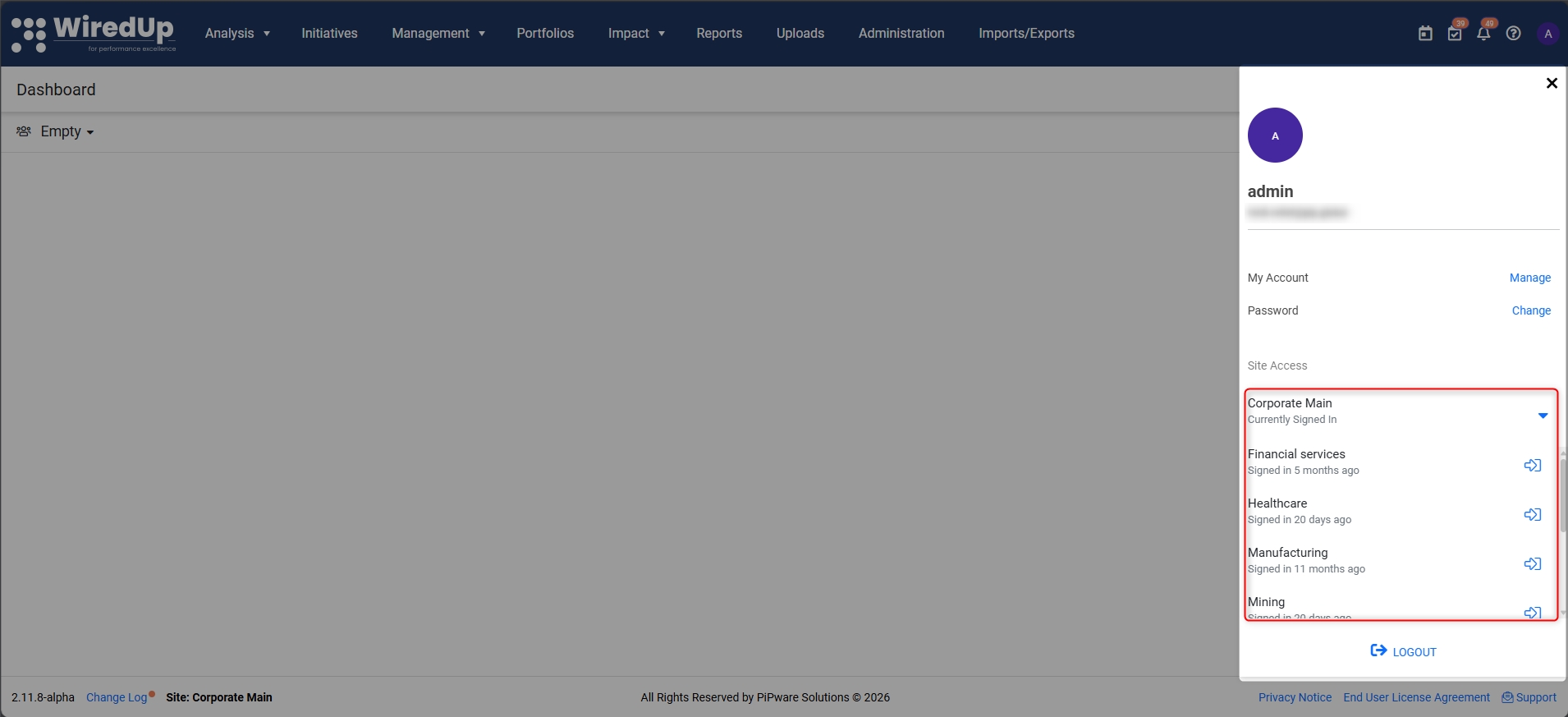
3. Contact your WiredUp administrator if you're unsure which site name to use
Next Steps
For more information on how to use the FromDate and ToDate parameters, please see this help article: How does the FromDate and ToDate API parameter work? : WiredUp