
In This Article
Steps to Generate Your API Key
Overview
This article explains how to generate and access your API key in WiredUp. API keys are used to authenticate and access your WiredUp data through API endpoints. It's important to note that previously generated API keys are not stored anywhere within the WiredUp system, so users must ensure their API keys are securely stored once generated.
Steps to Generate Your API Key
1. Click on your profile avatar in the top-right corner of the screen
2. Select "Manage" next to the "My Account" option. The My Account screen will open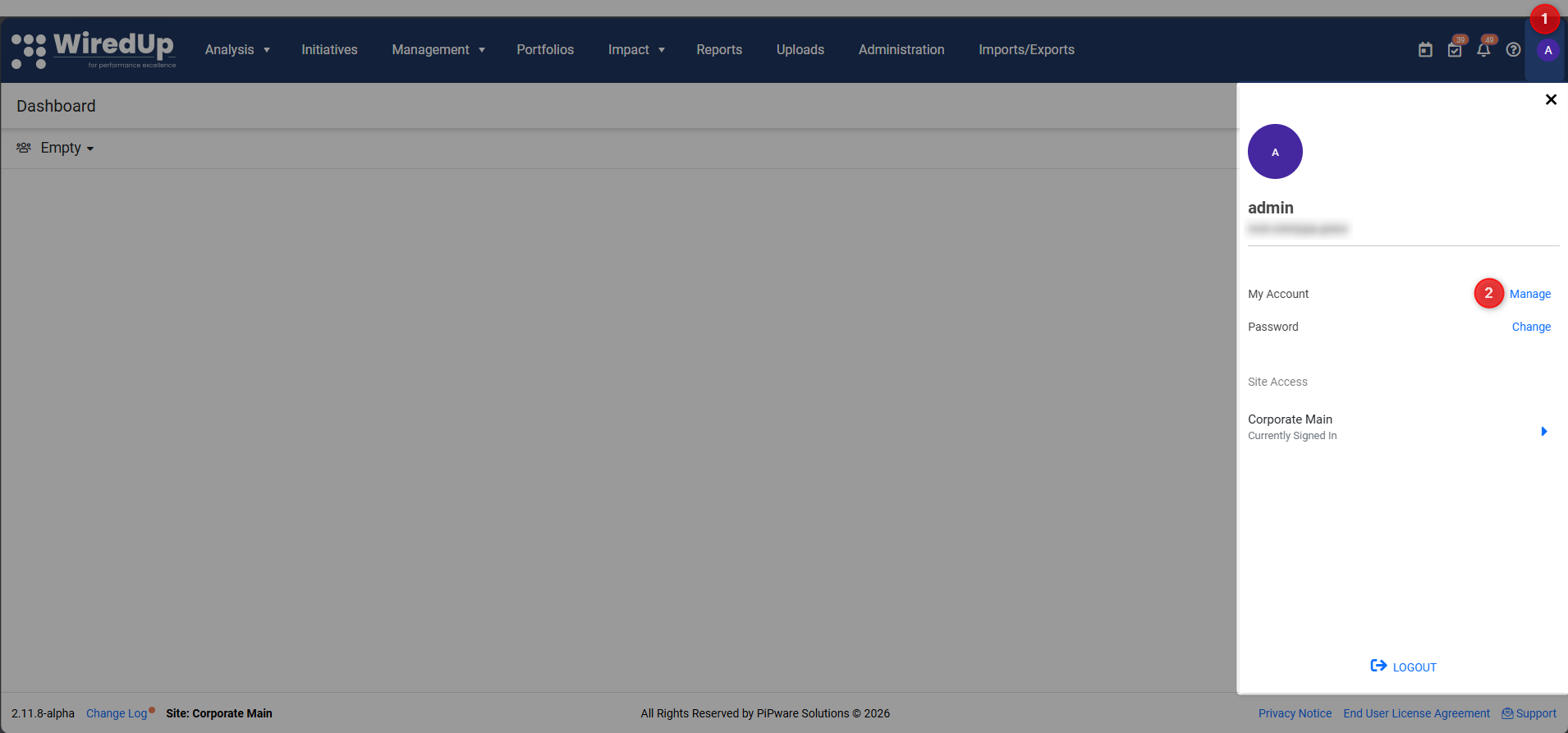
4. On the Profile menu (opened by default), locate the API Key section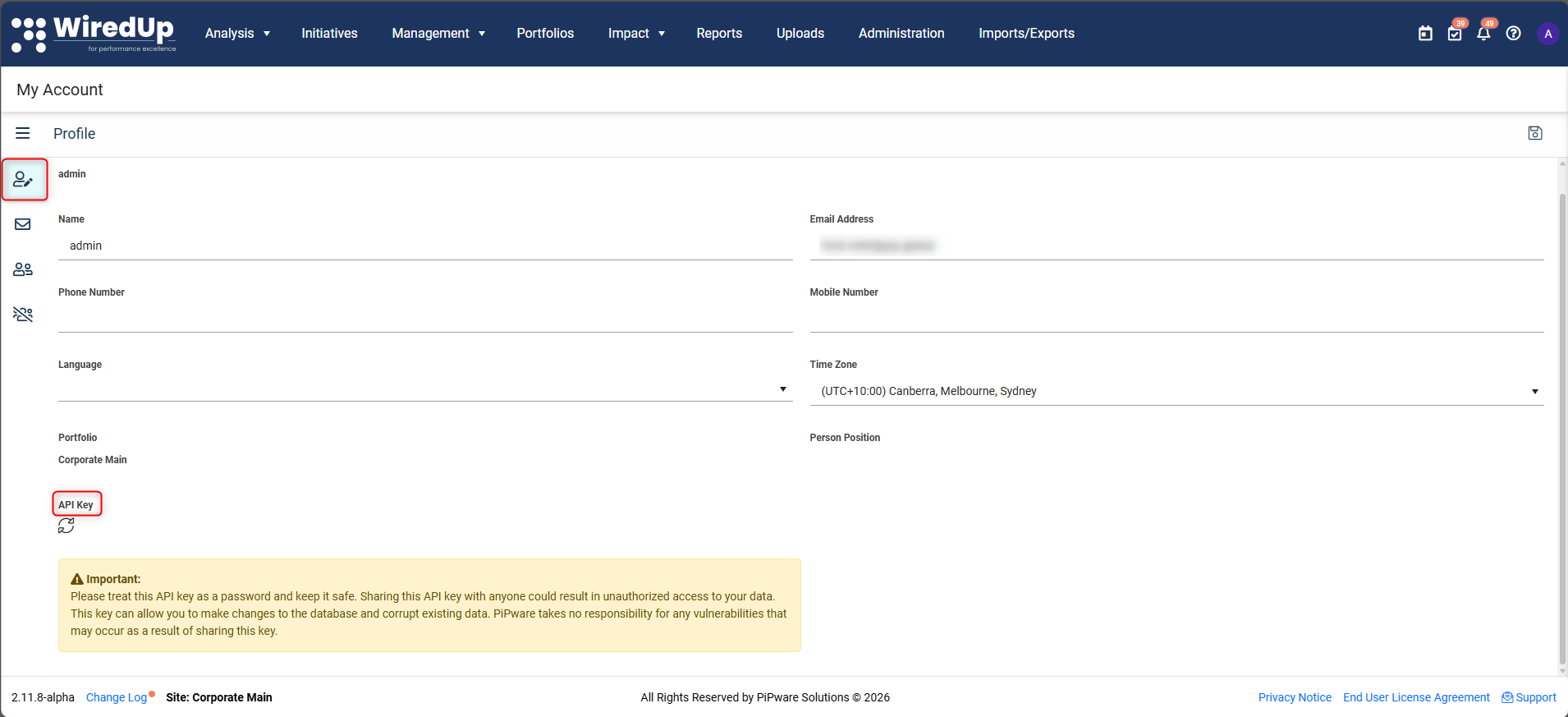
5. Click the generate icon (refresh/circular icon) to generate a new API key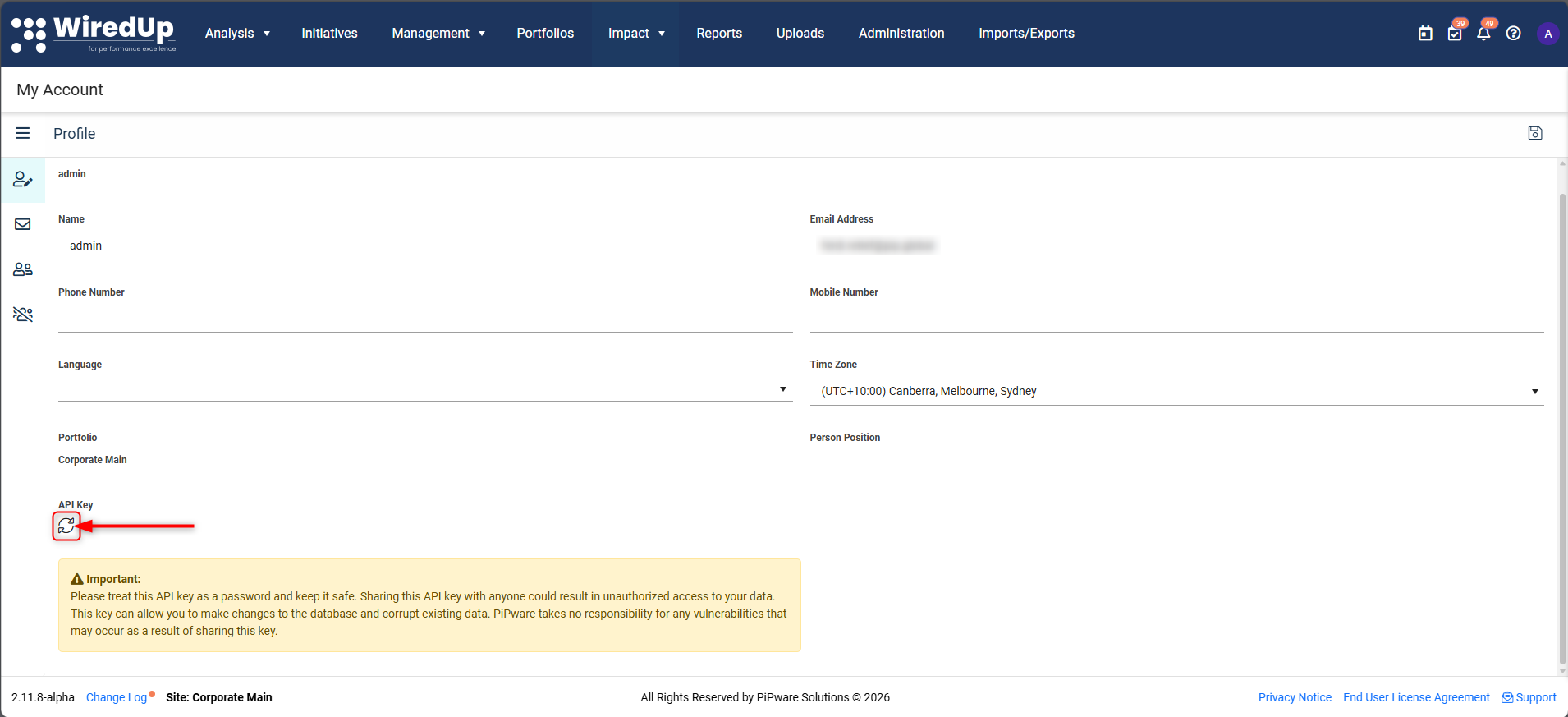
6. Copy and securely store your API key immediately - this key is confidential and can be used to access your WiredUp data
Important Security Notice
⚠️ Please treat this API key as a password and keep it safe. Sharing this API key with anyone could result in unauthorized access to your data. This key can allow you to make changes to the database and corrupt existing data. WiredUp takes no responsibility for any vulnerabilities that may occur as a result of sharing this key.
Note: API keys previously generated are not stored anywhere within the system. It is the user's responsibility to ensure API keys are securely stored.
Next Steps
Now that you have generated your API Key, see the following article on how to use your API key in an endpoint: How to use your API Key in an API Key Endpoint