
In This Article
How to Access the API Endpoints List
- Step 1: Get Your WiredUp Site URL
- Step 2: Add /swagger to the End of Your URL
- Step 3: Access the Swagger Interface
- Step 4: Browse API Definitions (if applicable)
Overview
This article explains how to access the complete list of available WiredUp API endpoints using the built-in Swagger UI interface. Swagger provides an interactive documentation interface where you can browse all endpoints, view their parameters, and test API calls.
What is Swagger UI?
Swagger UI is an interactive API documentation tool that displays all available WiredUp API endpoints in a user-friendly interface. It allows you to:
- Browse the complete list of API endpoints
- View required and optional parameters for each endpoint
- See response formats and data structures
- Test API calls directly from the interface
How to Access the API Endpoints List
Follow these steps to view all available API endpoints:
Step 1: Get Your WiredUp Site URL
Use the same URL you use to log into your WiredUp site.
Example: https://your-company.wiredup.global
Step 2: Add /swagger to the End of Your URL
Append /swagger to your site URL.
Example: https://your-company.wiredup.global/swagger
Step 3: Access the Swagger Interface
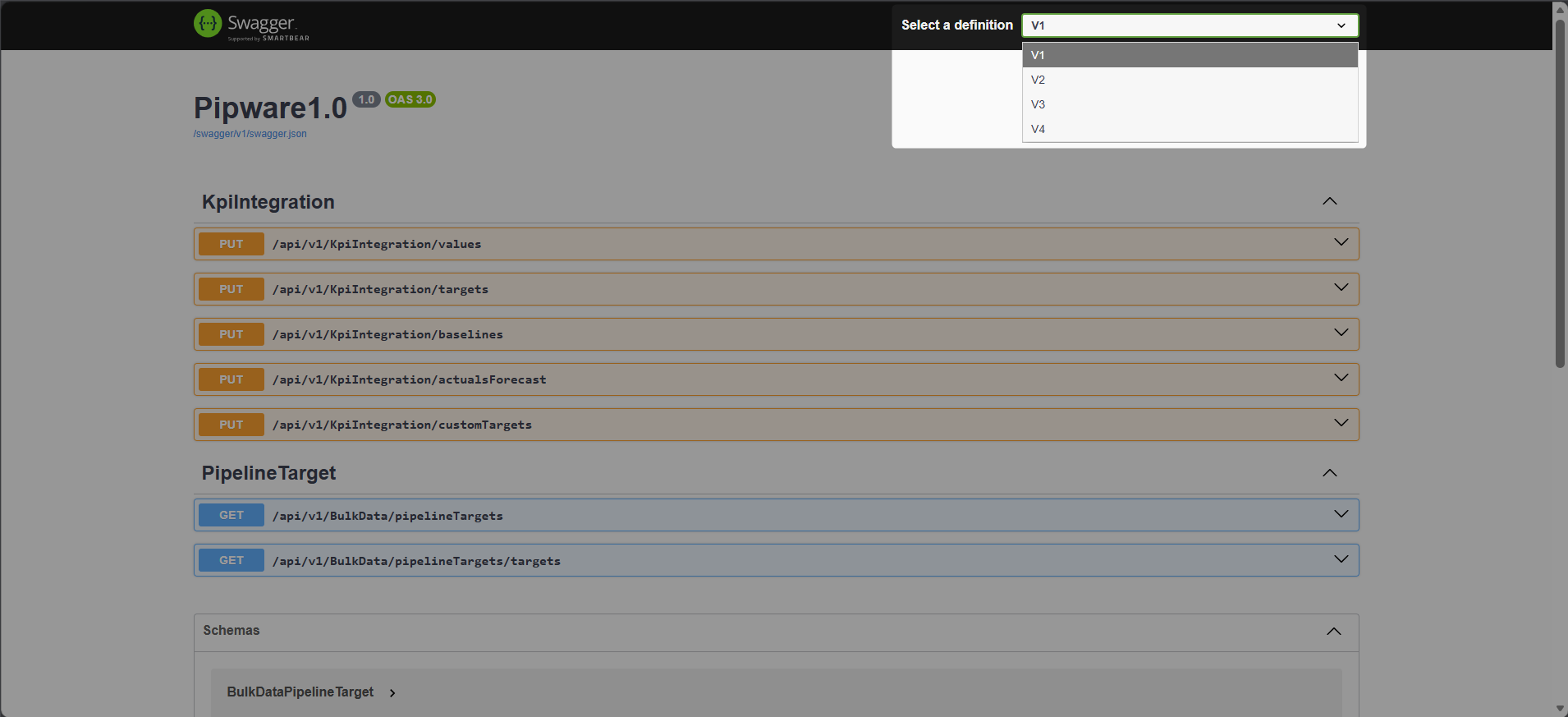
Press Enter or navigate to the URL. The Swagger API UI will open, displaying the full list of available endpoints.
Step 4: Browse API Definitions (if applicable)
If multiple API definition versions are available, use the definition/version dropdown in Swagger to switch between different API versions.
Authentication Required:
You must be logged into your WiredUp site for the Swagger interface to load. If you're not logged in, log into your WiredUp site first, then access the Swagger URL.
Available API Endpoints
WiredUp provides several BulkData API endpoints, including:
- BulkData Ideas API - Access initiative and idea data
- BulkData KPIs API - Retrieve KPI and metrics data
- BulkData Cumulative Benefits API - Access benefits tracking data
- BulkData Organisational Structure API - Retrieve organizational hierarchy data
- BulkData Pipeline Targets API - Access pipeline target information
For detailed documentation on each specific API endpoint, refer to the APIs folder in the support documentation.
Next Steps
For more information on how to generate your API Key to access the data from these API endpoints, kindly refer to the following article: How to access/generate your API key : WiredUp