
In This Article
Navigate to the Analysis Tools
Overview
Once your Value Driver Tree is built and populated with KPI data, you can run analysis using the Value Hound analysis tools.
Value Hound supports three analysis types:
This article explains how to run each analysis. Interpretation of results is covered in later articles.
Navigate to the Analysis Tools
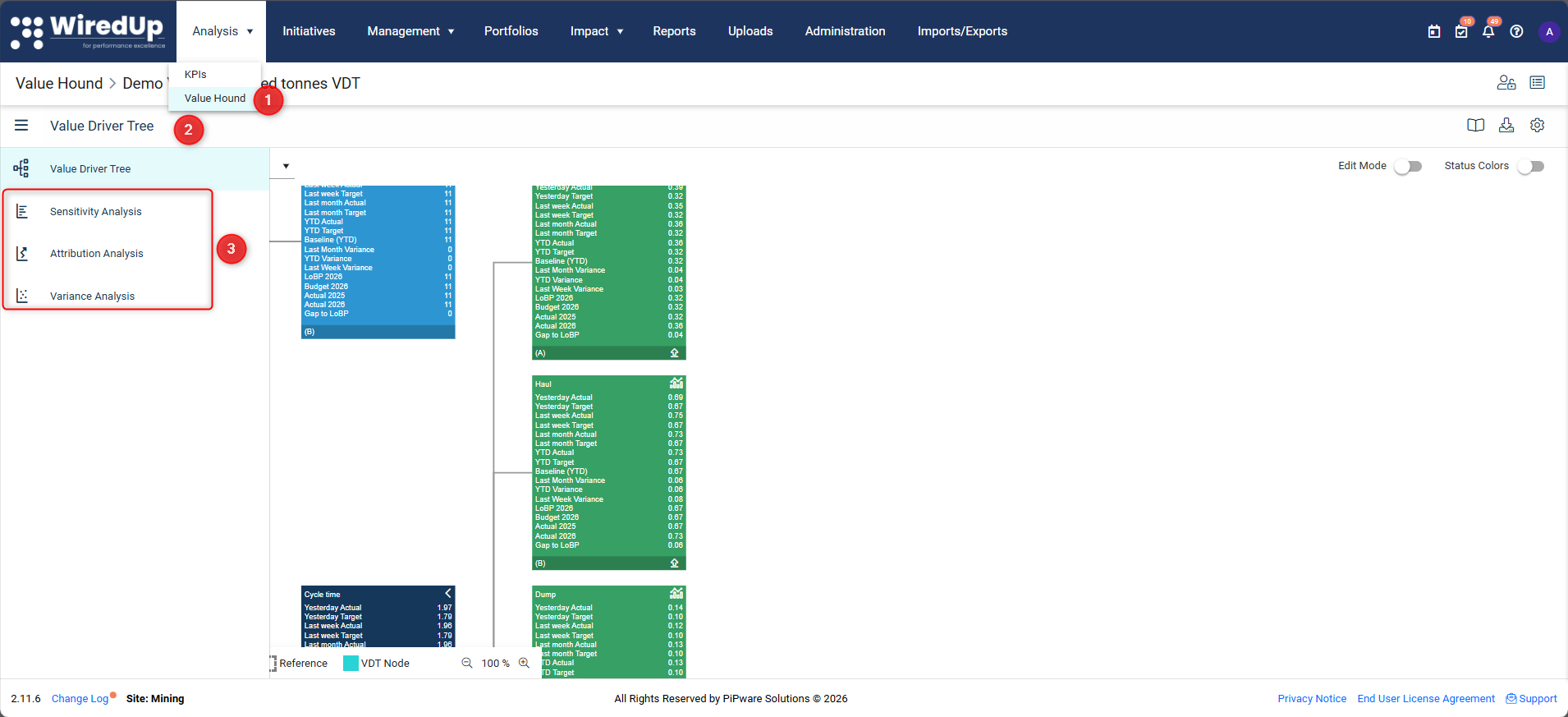
- Open Analysis > Value Hound
- Select the Value Driver Tree you want to analyse then select the sidebar menu
- From the VDT toolbar or tree view, you can expand the sidebar and select the analysis tab you want to run: Sensitivity, Attribution, or Variance
Run Sensitivity Analysis
Sensitivity analysis applies a uniform variance to KPI values and displays the resulting impact on the outcome.
To run Sensitivity Analysis: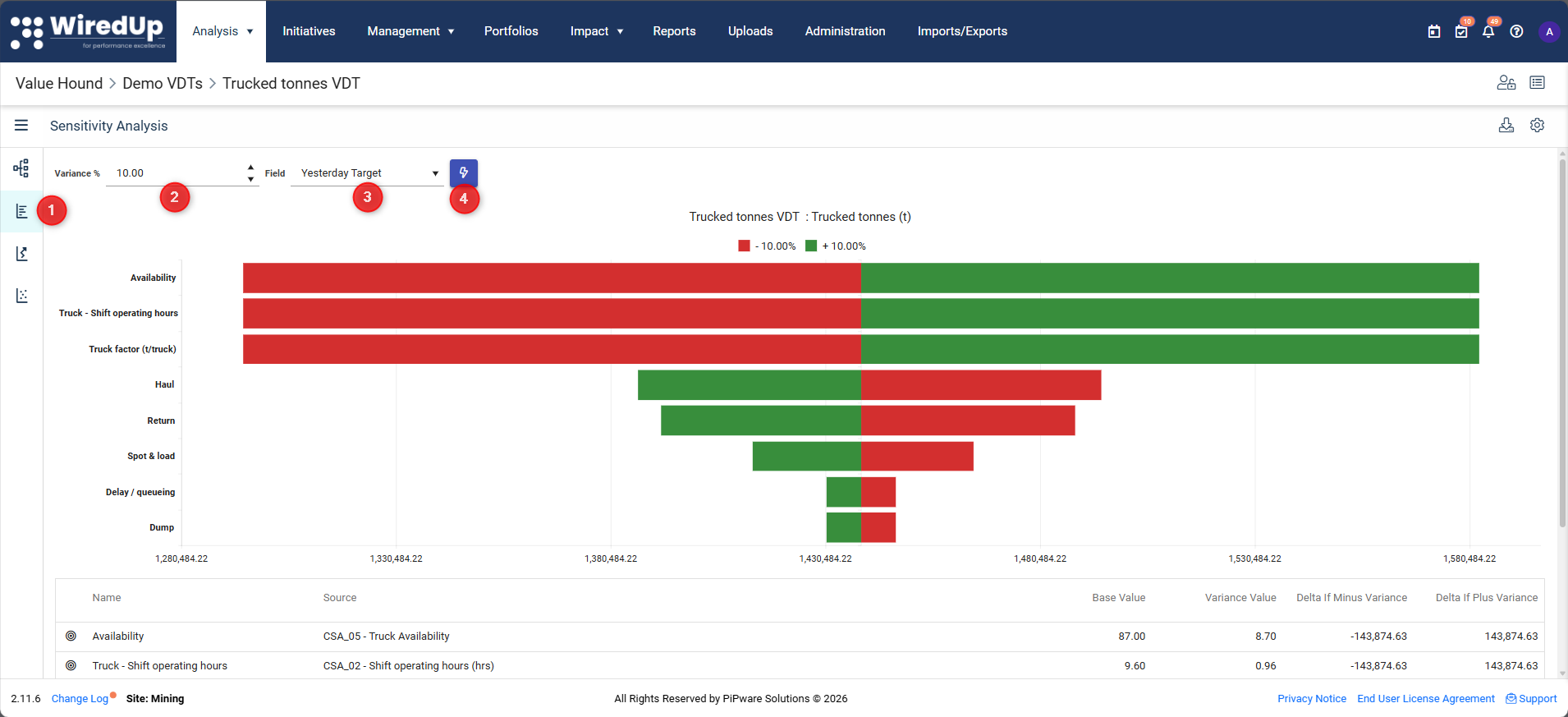
- Select the Sensitivity tab
- Enter a percentage variance
- Select the base field (for example, Actual)
- Select the Run button
Output:
A chart and table showing the impact of the applied variance on each KPI.
Run Attribution Analysis
Attribution analysis compares two sets of field values to quantify the contribution of each KPI to the difference between them.
To run Attribution Analysis: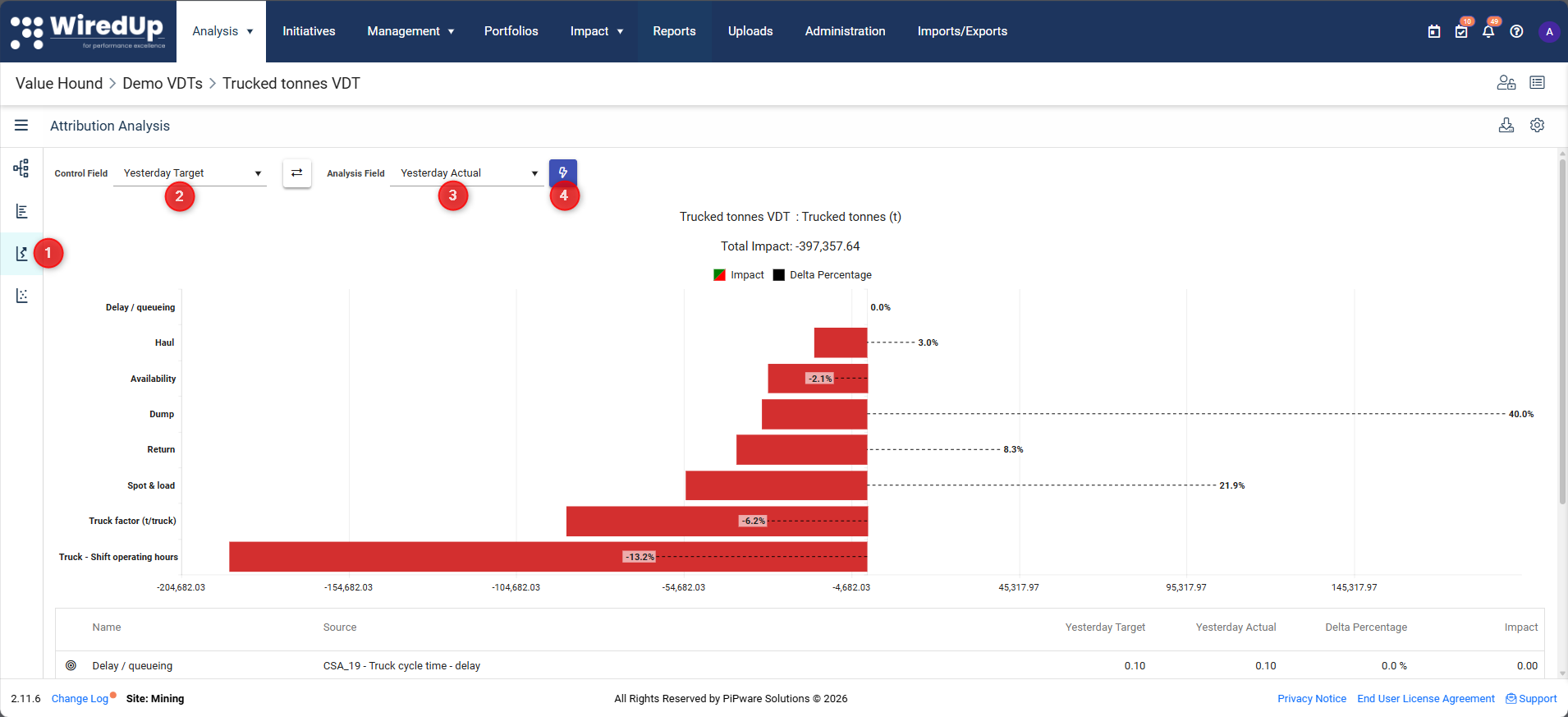
- Select the Attribution tab
- Select a Control Field (for example, Target)
- Select an Analysis Field (for example, Actual)
- Select Run
Output:
A chart and table showing the contribution of each KPI to the difference between the selected fields.
Run Variance Analysis
Variance analysis applies specific changes to individual KPIs and shows the resulting impact on the outcome.
To run Variance Analysis: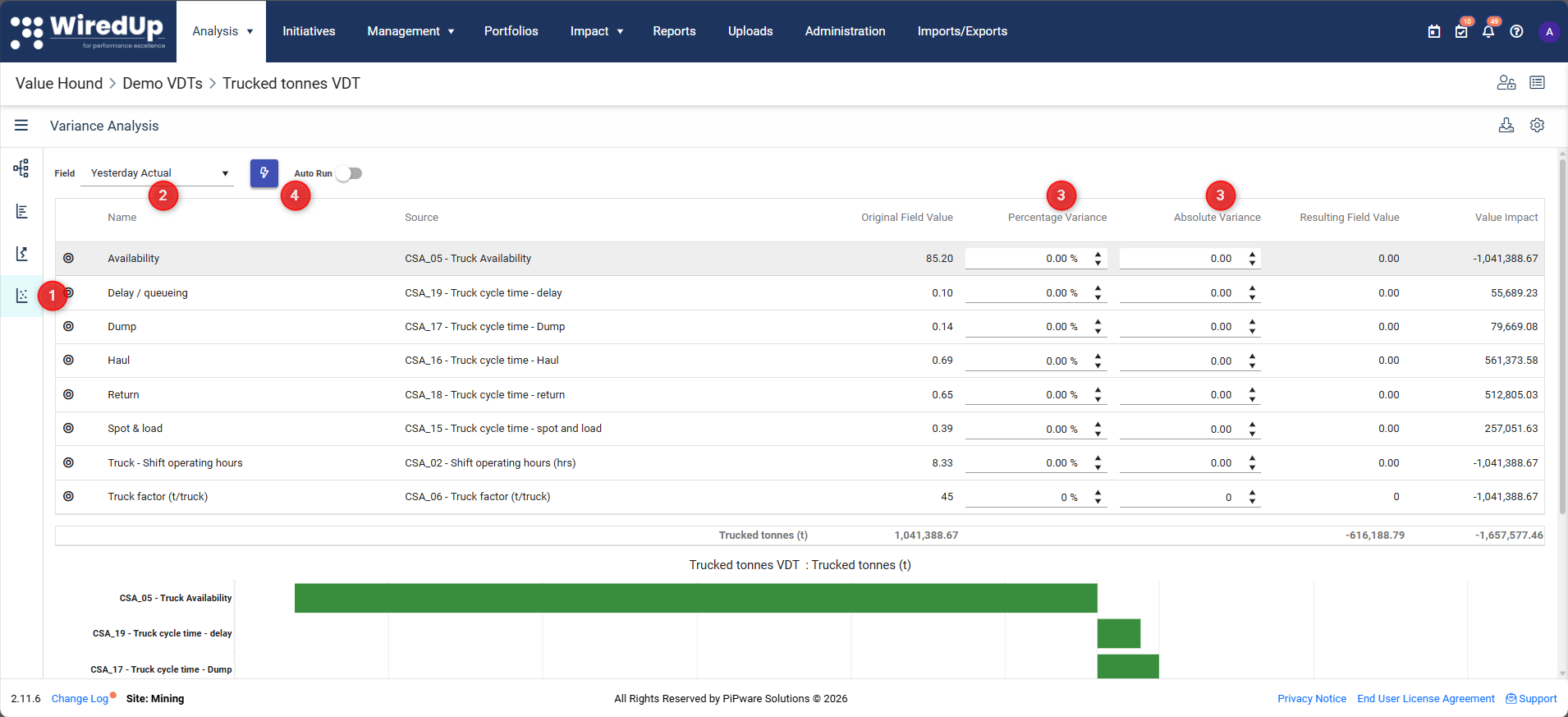
- Select the Variance tab
- Select the base field
- Enter percentage or absolute variances for one or more KPIs
- Select Run or enable Auto Run
Output:
A chart and table showing the impact of the applied variances on the outcome.
Exporting Results
In all analysis views, you can use the export options to: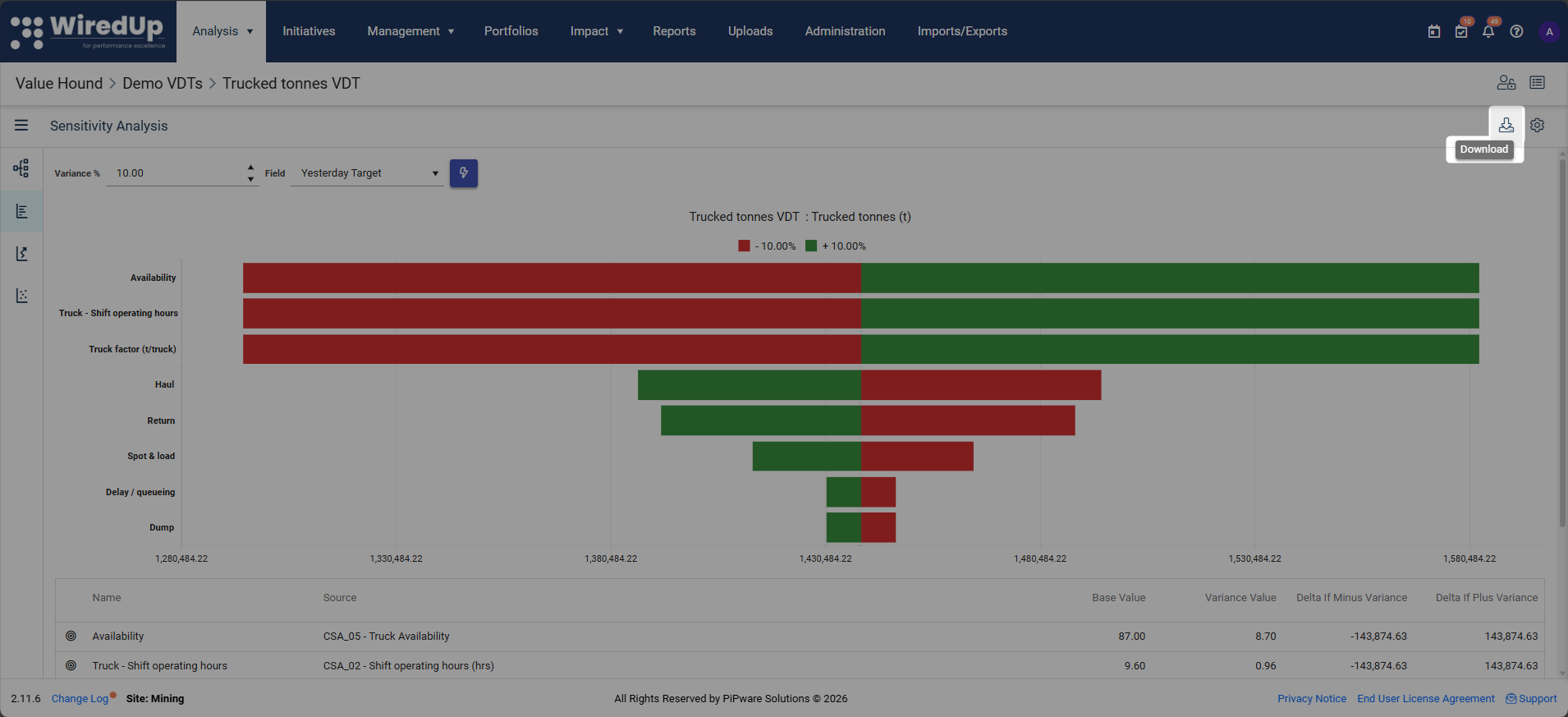
- Download analysis results to Excel
What Happens Next
At this stage, you can run Sensitivity, Attribution, and Variance analysis on a Value Driver Tree using Value Hound.
The next step articles provide detailed explanations and guidance on interpreting results
Next Steps
To learn more about each analysis type, see: