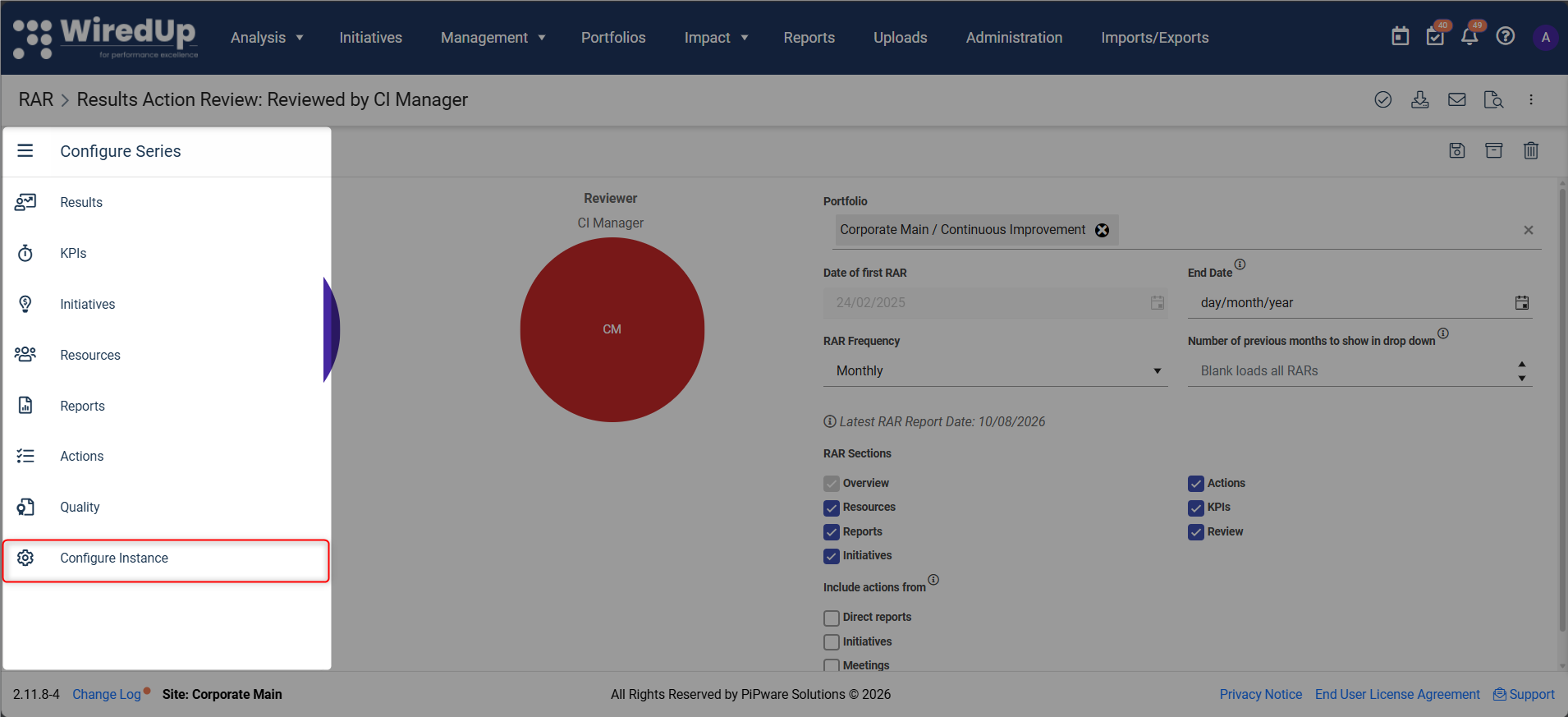
To delete or archive a RAR series, click on the three-bar menu, then select Configure Instance, as highlighted below:
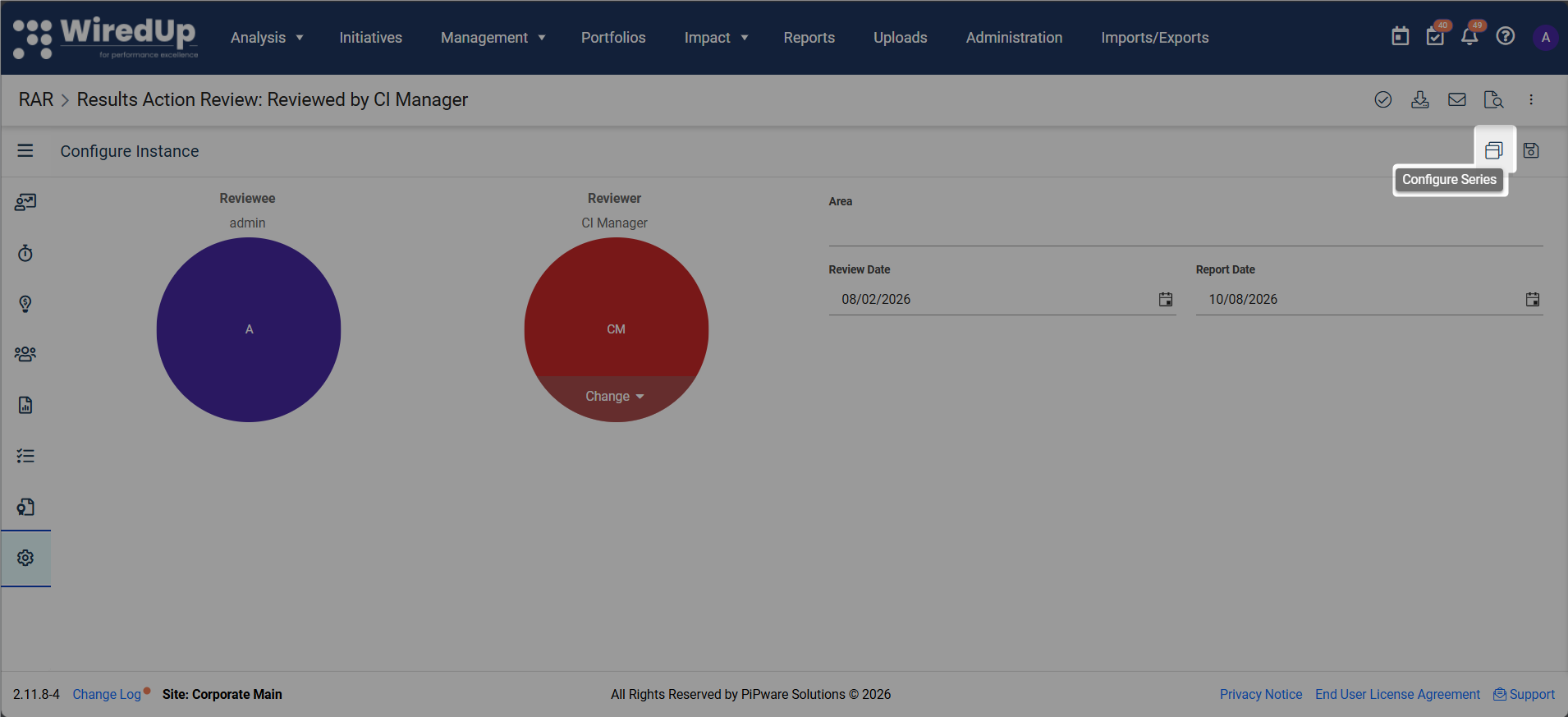
On the Configure Instance screen, select the Configure Series icon
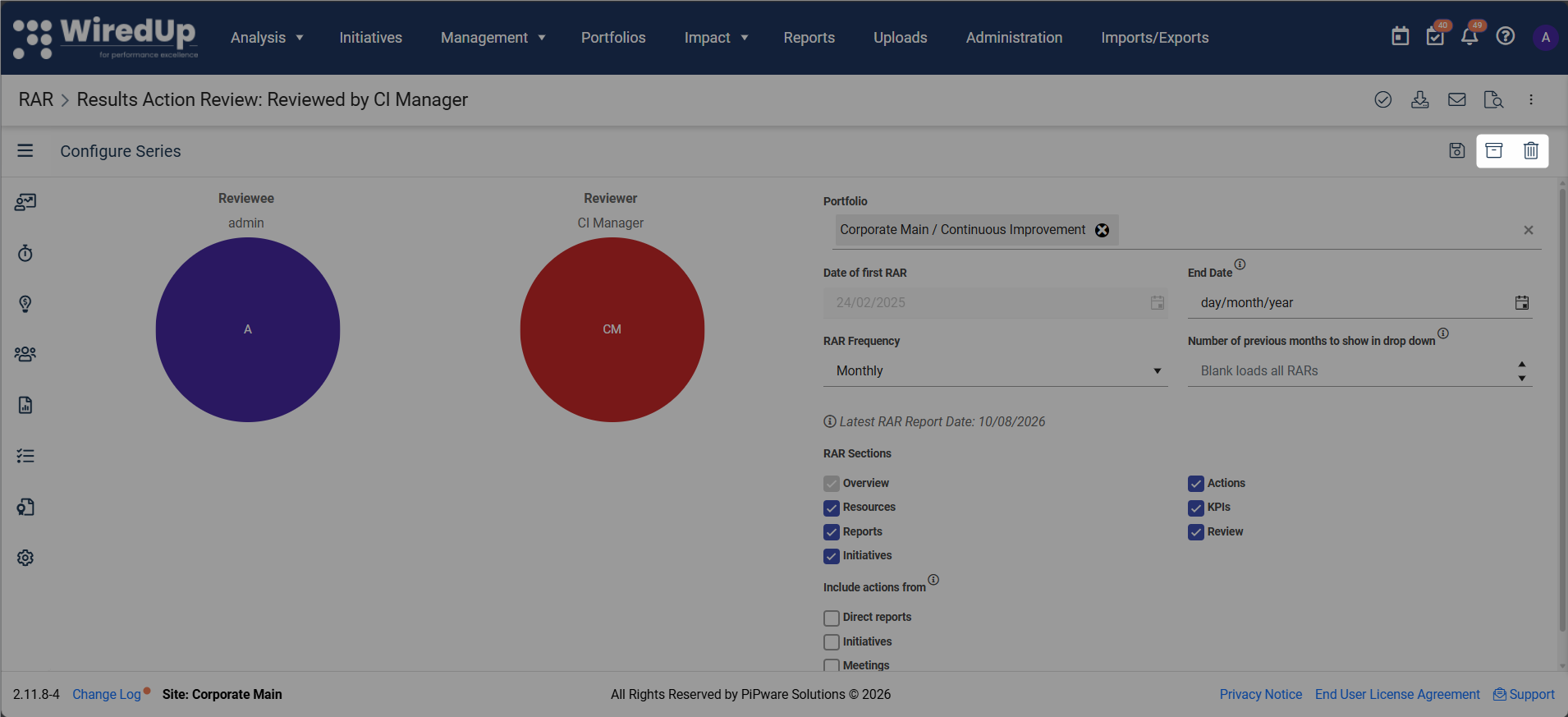
Once the Configure RAR Series page is displayed, click on the bin icon to delete the series. Alternatively, specify an End Date and then click Archive if you want the series to be removed from your list of reviewers, but still have the RARs recorded on the RAR compliance report.
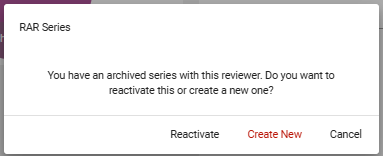
If you need to unarchive a RAR series, you can do so by adding a RAR series with the same reviewer linked to the archived series. This will prompt the system to display a notification alerting you of the archived series and asking whether you would like to Reactivate, Create a New RAR, or Cancel. To reactivate, click on Reactivate.